Voice Changer Video-Funny Cam1.29
Publisher Description
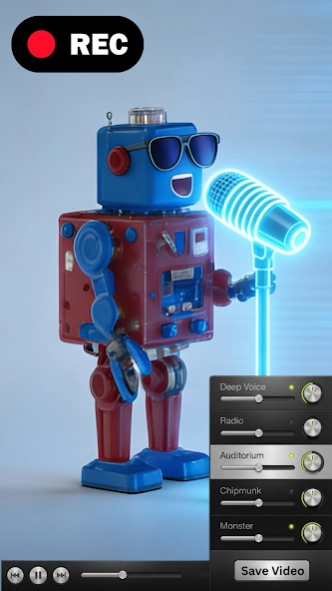


Voice FX to change your voice effect to sound as squirrel, alien, funny creature
Video Voice Changer FX - Voice Effects This video voice changer app lets you change your voice in a video to sound funny! Just record a video, or select it from your SD card, choose the voice effect and create a funny voice video in a minute!
Transform your voice like never before with our voice modulator cum video voice changer app to have fun and express your creativity by transforming your voice into a variety of unique and entertaining sounds.
Choose from a variety of hilarious voice effects from our voice changer app to change your voice and create unforgettable moments. Perfect for hilarious pranks, social media content, or just having fun with friends and family!
Here’re some available sound effects in Video Voice Changer FX:
- Squirrel or Chipmunk Voice Effects
- Helium Video Effect
- Alien and Spaceship Voice Changer
- Devil Voice Effects
- Robot and Robot Soldier Sound Effects
- Echo
and many more!
Result video effect will be saved to your SD card, so you can publish it anywhere you want. You can also switch voice effects live while playing the video!
About Voice Changer Video-Funny Cam
The company that develops Voice Changer Video-Funny Cam is Bizo Mobile. The latest version released by its developer is 1.29.
To install Voice Changer Video-Funny Cam on your Android device, just click the green Continue To App button above to start the installation process. The app is listed on our website since 2026-01-23 and was downloaded 53 times. We have already checked if the download link is safe, however for your own protection we recommend that you scan the downloaded app with your antivirus. Your antivirus may detect the Voice Changer Video-Funny Cam as malware as malware if the download link to com.mobile.bizo.videovoicechanger is broken.
How to install Voice Changer Video-Funny Cam on your Android device:
- Click on the Continue To App button on our website. This will redirect you to Google Play.
- Once the Voice Changer Video-Funny Cam is shown in the Google Play listing of your Android device, you can start its download and installation. Tap on the Install button located below the search bar and to the right of the app icon.
- A pop-up window with the permissions required by Voice Changer Video-Funny Cam will be shown. Click on Accept to continue the process.
- Voice Changer Video-Funny Cam will be downloaded onto your device, displaying a progress. Once the download completes, the installation will start and you'll get a notification after the installation is finished.
Program Details
System requirements
Download information
Pricing
Version History
version 1.29
posted on 2026-01-24
bugs fixed!
New SDK upgrade
64-bit
: en-US
version 1.19
posted on 2024-08-26
bugs fixed!
New video player,
64-bit
: en-US
version 1.23
posted on 2024-08-26
version 1.1.1
posted on 2019-10-01
bugs fixed!: en-US
version 1.0.2
posted on 2015-09-30
1.0.1:,- fixed many bugs
